Maintenance & Technical Guides
Deep Cleaning and Preventive Care: The Architectural Approach to Hardware Longevity
May
Preventive In the disciplined world of software development, professionals often grapple with the concept of “Technical Debt”—the cumulative cost of choosing a convenient, suboptimal path today instead of a robust solution. In the realm of hardware, neglecting maintenance is the ultimate form of technical debt. For an aspiring Solution Architect, a keyboard is far more than a peripheral; it is the primary interface to your logic, an integral component of your professional ecosystem. Maintaining its structural integrity is not merely a matter of aesthetics but a vital practice to ensure the viability and immediacy of your digital workflow. This article will elucidate the architectural methods of deep cleaning and preventive care, designed to protect your hardware from the silent erosion of neglect.
1. The Logic of Preventive Care: Hygiene as a System Requirement
A mechanical keyboard is an “Open System,” constantly exposed to the external environment. Every hour spent coding at FPT Polytechnic Danang or gaming results in the accumulation of skin oils, dust, and micro-debris. If left unaddressed, these contaminants migrate into the switch housings and stabilizers, leading to “key chatter” (double-clicking) or mechanical friction.
From a system architecture perspective, preventive maintenance is always more cost-effective than reactive repair. By establishing a rigorous routine of hygiene, you neutralize the factors that lead to oxidation and structural degradation. For a professional aiming for a career at a “Big Tech” firm like Google, the state of your tools is a reflection of your commitment to excellence. A clean, optimized board ensures that your hardware’s dominance remains unchallenged by the “friction” of environmental neglect.
2. Level 1: Surface Hygiene (The “Weekly Sprint”)
In an Agile workflow, a “Sprint” is a focused period of work to maintain the system’s health. Similarly, a weekly surface clean acts as a primary firewall against grime.
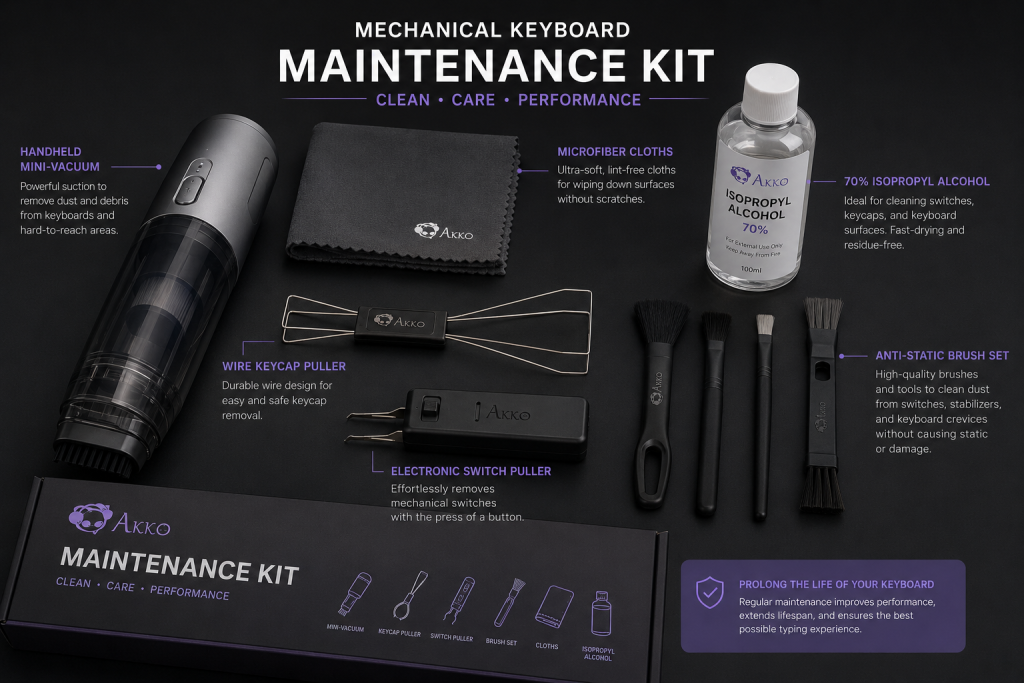
Debris Evacuation: Use compressed air or a high-velocity mini-vacuum to dislodge particles between the switches. This prevents hair and dust from becoming integral parts of the internal mechanism.
Surface Disinfection: Skin oils are acidic and can cause a “shining” effect on ABS keycaps, permanently altering their texture. Wipe the keycaps with a microfiber cloth lightly dampened with 70% isopropyl alcohol. This maintains the tactile nuance and prevents the buildup of biological contaminants.
The Immediacy Factor: Regular surface maintenance ensures that the visual and tactile immediacy of your setup remains sharp, reducing the cognitive load caused by a cluttered or grimy workspace.
3. Level 2: The Deep Teardown (The “Major Version Update”)
Every three to six months, especially in humid coastal climates like Da Nang, a keyboard requires a deep architectural cleaning. This process involves a complete disassembly of the interface layer to access the underlying hardware.
Step 1: Keycap Sanitization
Using a wire puller—which preserves the structural integrity of the keycap stems—remove every key. Soak them in a solution of warm water and mild, pH-neutral soap. For the most thorough results, an ultrasonic cleaner is a highly viable tool, utilizing high-frequency sound waves to remove deep-seated debris from the internal cross-stems without the need for abrasive scrubbing.
Step 2: Plate and Stabilizer Inspection
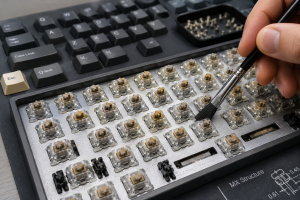
Once the “Front-end” (the keycaps) is removed, you will likely encounter a significant accumulation of debris on the plate. Use an anti-static brush to clear this area. This is also the ideal time to check the nuances of your stabilizers. If the spacebar feels sluggish, the lubrication may have trapped dust, turning it into an abrasive paste that must be removed and reapplied.
4. Level 3: PCB and Component Integrity (The “Kernel” Layer)
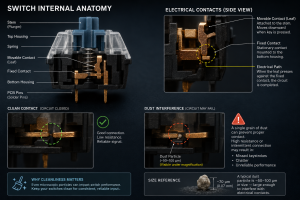
The most critical part of the maintenance process is ensuring the health of the Printed Circuit Board (PCB). Dust is often hygroscopic, meaning it attracts moisture from the air. In a tropical environment, this can lead to corrosion on the copper traces—a catastrophic failure for any system.
Oxidation Audit: If you utilize a hot-swappable board, periodically remove a few switches to inspect the copper sockets. Any sign of discoloration is a signal of impending failure.
Conductivity Rescue: For switches that have become unresponsive, a tiny application of electronic contact cleaner can restore the immediacy of the electrical signal. This specialized chemical removes oxidation without leaving a residue, ensuring the viability of the switch for millions of future actuations.
5. Environmental Architecture: Defensive Strategies
Beyond active cleaning, a Solution Architect must design an environment that minimizes risk. This is the hardware equivalent of “Defensive Programming.”
The “No-Contaminant” Protocol: It is of paramount importance to maintain a strictly “clean” workspace. Crumbs and liquids are the primary cause of switch failure and stabilizer rattling. Establishing a “No-Food” zone at your desk is an integral step in protecting your hardware.
The Dust Cover Firewall: When the system is not in use, especially during the night, utilize an acrylic or cloth dust cover. This simple barrier prevents environmental debris from settling into the switches, significantly extending the time between deep cleans.
Humidity Management: In regions like Central Vietnam, humidity is a silent killer of electronics. Keeping a dehumidifier or silica gel packets near your keyboard storage ensures that the structural integrity of the internal circuits is not compromised by moisture.
6. Developing a Professional Maintenance Workflow
As you prepare for your software engineering internship in September 2026, time management will become critical. Your maintenance should be “modular” and scheduled:
Daily: A quick 60-second surface wipe-down.
Weekly: A 5-minute air-blast to remove debris.
Quarterly: A 90-minute “Deep System Teardown” and keycap wash.
By treating hardware maintenance as a scheduled “System Update,” you ensure that your tools are always in a state of peak performance. This disciplined approach is a hallmark of a professional who understands that the quality of their output is directly linked to the health of their interface.
7. Conclusion: Longevity as a System Goal
Deep cleaning is not about making a keyboard look “pretty”; it is about ensuring that the architectural logic of the hardware is never compromised by external factors. By establishing a rigorous routine of preventive care, you protect your financial investment and maintain the tactile immediacy that is integral to your success as a developer.
To elucidate the true value of this practice: a well-maintained tool outlives the trends. While others are forced to replace their hardware due to neglect—the ultimate form of technical debt—your keyboard will remain a viable, high-performance instrument for years to come. As you continue your journey toward a career in “Big Tech,” let your hardware be a testament to your precision, your discipline, and your commitment to the highest standards of excellence.
