Versus & Comparisons
Wireless 75% Excellence: Corsair K65 Plus Wireless vs. Keychron K2 Pro
May
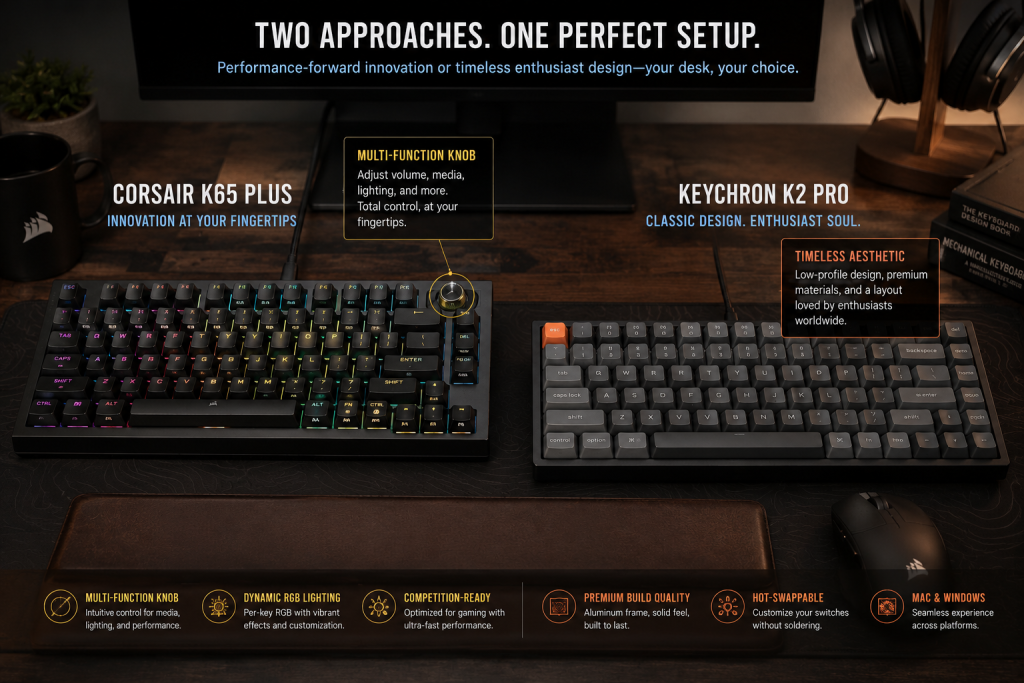
The mechanical keyboard market has recently undergone a massive paradigm shift. Users are no longer satisfied with choosing between “gaming” performance and “custom” acoustics; they demand both. This has led to the rise of the 75% layout—a compact design that retains the integral function row and arrow keys while stripping away the numpad to maximize mouse space. In this category, two boards have established clear dominance: the Corsair K65 Plus Wireless ($159) and the Keychron K2 Pro ($99). This comparison will elucidate the technical nuances of these two devices to help you choose the most viable foundation for your setup.
1. Architectural Design and Aesthetics
When you are building a professional workstation for software development, the physical build is just as important as the code you write.
Corsair K65 Plus Wireless: The Enthusiast Hybrid
The Corsair K65 Plus Wireless represents Corsair’s first serious foray into the “enthusiast-lite” market. It features a high-quality polymer chassis with a steel internal plate for rigidity. The standout feature is the integrated multi-function dial in the top right corner. This knob isn’t just for volume; it can be programmed to zoom, scroll, or adjust brightness, providing a level of immediacy in control that is rare at this price point. The aesthetics are modern and sleek, featuring a midnight-blue and black color scheme that feels premium without being overly “gamer-centric.”
Keychron K2 Pro: The Custom Keyboard Gateway
The Keychron K2 Pro takes a more traditional, enthusiast-focused approach. It is built with a heavy-duty frame and focuses on a “clean” look. Unlike the Corsair, the K2 Pro is designed with open-source logic in mind. It is significantly thicker and “boxier” than the Corsair, which provides a deeper, more resonant sound profile that custom keyboard lovers adore. While it lacks a dedicated physical knob, its design is timeless and professional, making it a viable fit for any office or dorm room at FPT Polytechnic.
2. Typing Experience and Switch Nuance
For a developer, the tactile feedback of a keyboard is a fundamental requirement for maintaining a flow state.
Corsair MLX Red Linear Switches: The K65 Plus comes equipped with Corsair’s pre-lubed MLX Red switches. These offer a remarkably smooth travel with a 45g actuation force. Because they are factory-lubricated, the “scratchiness” found in cheaper mechanical boards is eliminated, resulting in an acoustic profile that is quiet and professional—perfect for late-night coding sessions.
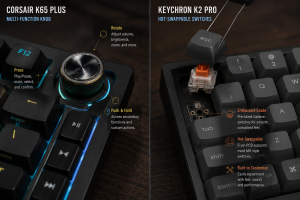
Keychron K Pro Switches: The K2 Pro typically features Keychron’s own K Pro switches. These are also pre-lubed and offer a very stable typing experience. What makes the Keychron a winner for enthusiasts is its Hot-Swappable PCB. While both boards are hot-swappable, the K2 Pro’s internal construction—including layers of sound-dampening foam and a silicone bottom pad—is specifically tuned to produce a “thocky” sound that is highly satisfying to the ear.
3. Software Ecosystem: iCUE vs. QMK/VIA
As an aspiring Solution Architect, you likely understand that the efficiency of the software defines the utility of the hardware.
Corsair iCUE
The K65 Plus Wireless is fully compatible with Corsair iCUE. This is a powerful, centralized software suite that allows for intricate RGB lighting layers and complex macro programming. For a gamer playing Valorant or League of Legends, iCUE offers the ability to sync lighting with in-game events. However, iCUE must be running in the background to access its most advanced features, which some users find to be a “heavy” requirement for their system resources.
Keychron’s QMK/VIA Logic
The K2 Pro stands out by supporting QMK and VIA. This is the gold standard for keyboard firmware. It allows you to remap every single key and create multiple layers directly on the hardware’s on-board memory. There is no software to install on your PC; you simply use a web browser to configure the board. Once programmed, your settings are saved to the keyboard itself, making it a highly viable solution for developers who switch between multiple operating systems like Windows, macOS, or Linux.
4. Connectivity and Wireless Stability
The immediacy of your input depends on the quality of the wireless protocol.
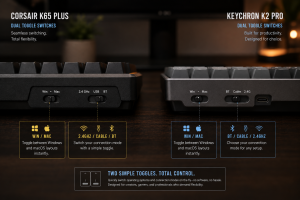
Corsair’s Tri-Mode Connectivity: The K65 Plus offers 2.4GHz wireless (via a USB dongle), Bluetooth, and a wired USB-C mode. The 2.4GHz connection uses Corsair’s low-latency technology, making it suitable for high-stakes competitive gaming where every millisecond counts.
Keychron’s Bluetooth Focus: The K2 Pro primarily focuses on Bluetooth 5.1 and wired mode. While Bluetooth is excellent for productivity and connecting to your iPad Pro M4 or MacBook, it is generally not recommended for fast-paced eSports due to inherent latency. If you are a dedicated gamer, the Corsair’s 2.4GHz dongle provides a significant performance advantage.
5. Battery Longevity and Power Management
Battery life is a critical nuance for any wireless peripheral.
Corsair: The K65 Plus is a power efficiency beast. With the RGB lighting turned off, it can last up to 266 hours on a single charge. This means you could potentially go over a month without needing to plug it in, even with heavy daily use.
Keychron: The K2 Pro features a large 4000mAh battery. However, because it uses standard Bluetooth and enthusiast-grade lighting, its battery life with RGB on is significantly shorter (about 70 hours). While it is a viable wireless board, you will find yourself reaching for the USB-C cable more often than with the Corsair.
6. Ergonomics and Long-Term Comfort
The 75% layout is inherently more ergonomic because it allows your mouse to be closer to your body, reducing shoulder strain.
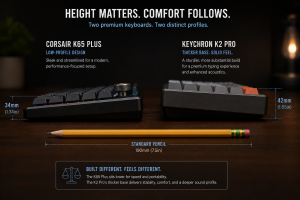
Corsair K65 Plus: Has a slightly lower profile and comes with two-step adjustable feet, allowing you to find the perfect typing angle.
Keychron K2 Pro: Is a “tall” keyboard. Because of its thick enthusiast-grade chassis, most users will find that they need a wrist rest to maintain a comfortable typing position over long periods.
Final Verdict: Which 75% King Should You Buy?
Choosing between the Corsair K65 Plus Wireless and the Keychron K2 Pro depends on your specific lifestyle as a student and developer.
Choose the Corsair K65 Plus Wireless if:
You are a competitive gamer who needs the immediacy of a 2.4GHz wireless connection for titles like Counter-Strike 2.
You love having physical controls like a programmable knob for media and productivity.
You want the best possible battery life in a wireless mechanical keyboard.
Choose the Keychron K2 Pro if:
You are a “purist” who values the architectural integrity and sound of a custom-style keyboard.
You want the freedom of QMK/VIA open-source firmware for complex remapping and layer control.
You are on a stricter budget but still want a premium, hot-swappable typing experience ($99 vs $159).
In the 75% battle of 2026, both of these boards offer a level of dominance that makes them excellent investments. Whether you choose the feature-packed Corsair or the enthusiast-grade Keychron, you are securing a tool that will empower your journey toward becoming a Solution Architect.
